Find the right word
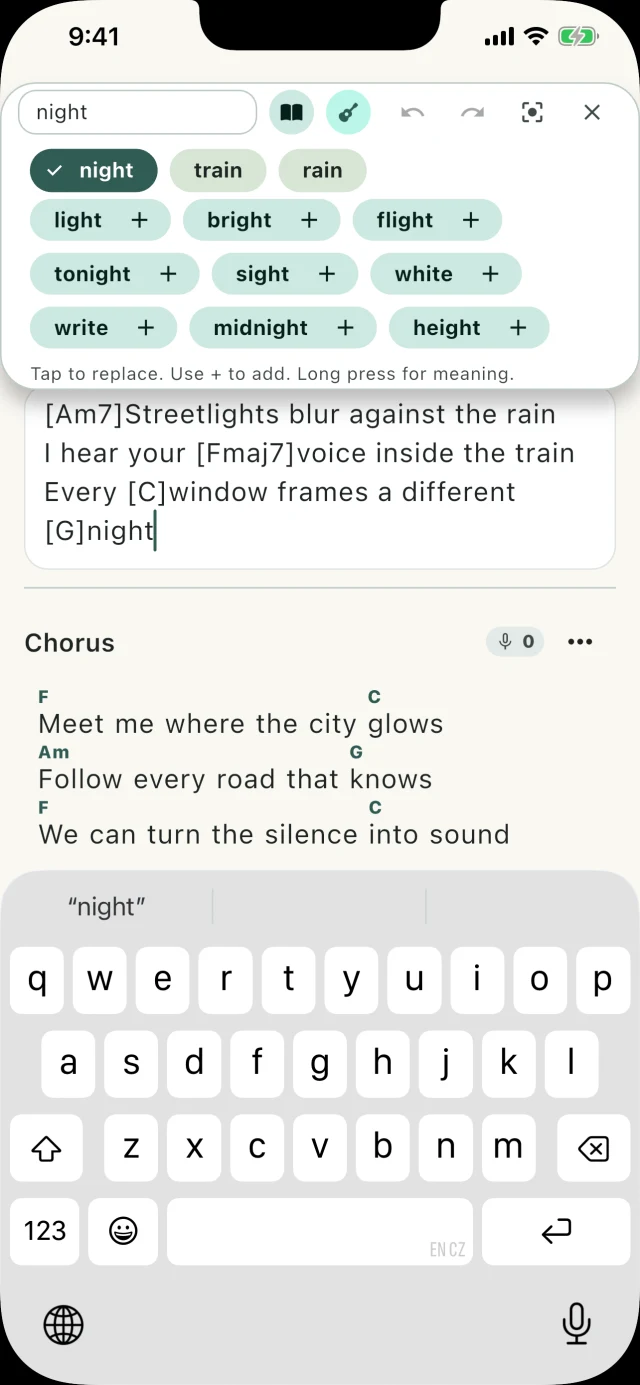
Look up rhymes and synonyms in an offline dictionary while you write. Save an alternate line when you like both versions.
 Versh
Versh is a songwriting notebook without generative AI. Look up a rhyme, place a chord above a word, or hum a melody into your phone while the verse is fresh.


For iPhone, iPad, and Android
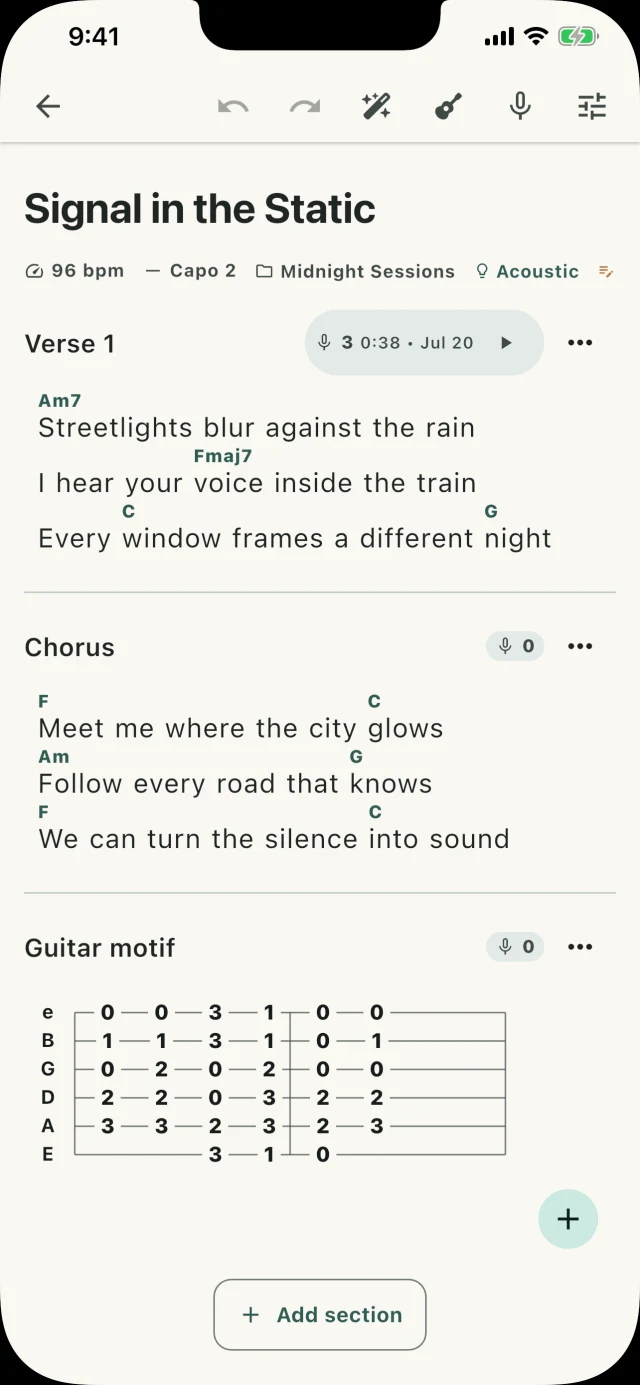
The tools sit right above the line you’re writing, so you can try a word or a chord without losing your place.
Look up rhymes and synonyms in an offline dictionary while you write. Save an alternate line when you like both versions.
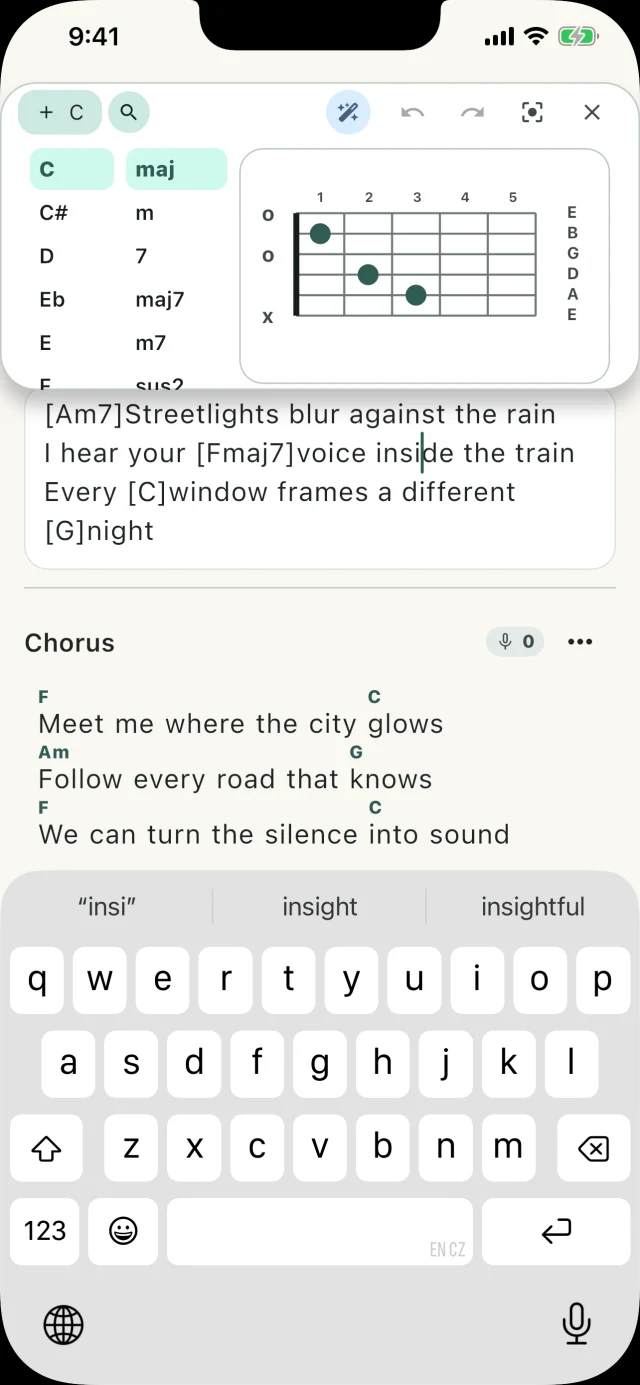
Place chords above the syllables where they change. Hear a voicing, or sketch a guitar part in tablature.
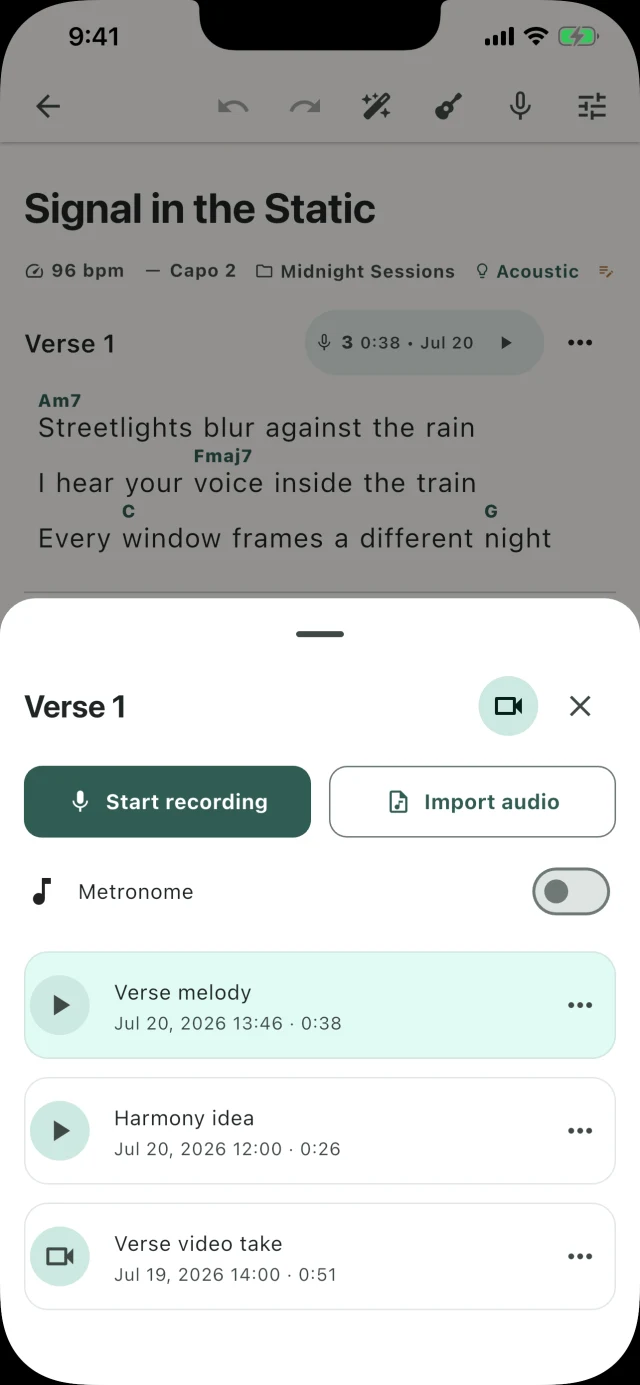
Hum a melody into your phone and save it beside the verse. Record another take when you want to try a different phrasing.
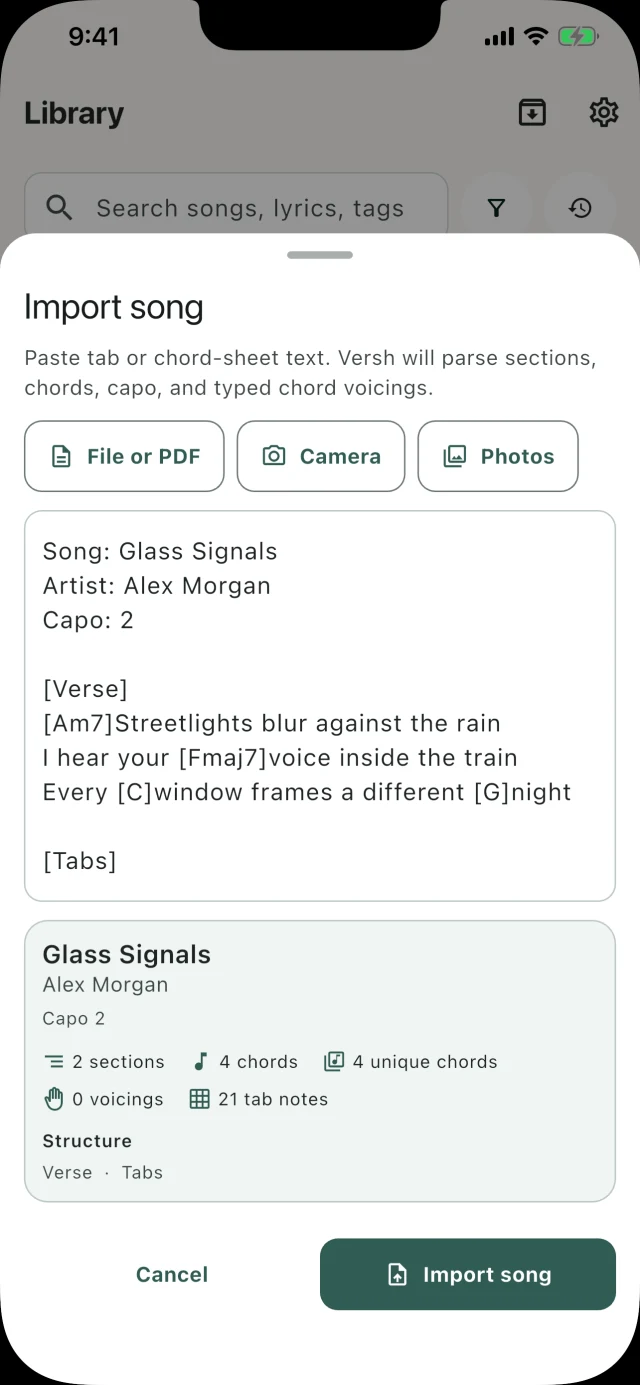
Open a PDF, paste a draft, or take a photo of a lyric sheet. Check the words and chords in the import preview before saving your song.
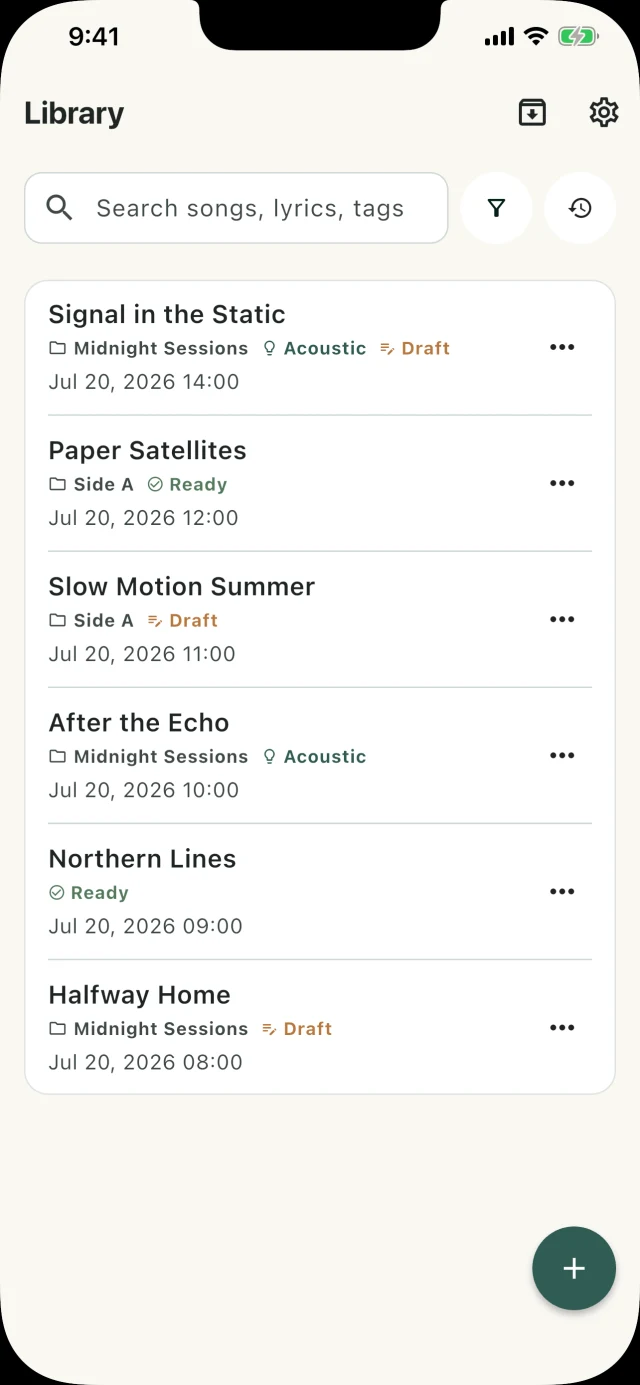
Search for a lyric you remember, even if the title escapes you. Group songs by project and tag drafts you want to revisit.